Skip to content
Andrew Jackson
  • Blog
  • Case Studies
  • Rendering
  • Animation
  • Services
  • Clients
  • Contact
  • Toggle website search
Menu Close
  • Blog
  • Case Studies
  • Rendering
  • Animation
  • Services
  • Clients
  • Contact
  • Toggle website search

Blog

You are currently viewing Solidworks: Creating Stitching

Solidworks: Creating Stitching

  • Post author:Andrew
  • Post published:August 26, 2022
  • Post category:CAD Sculpting / Solidworks tutorials

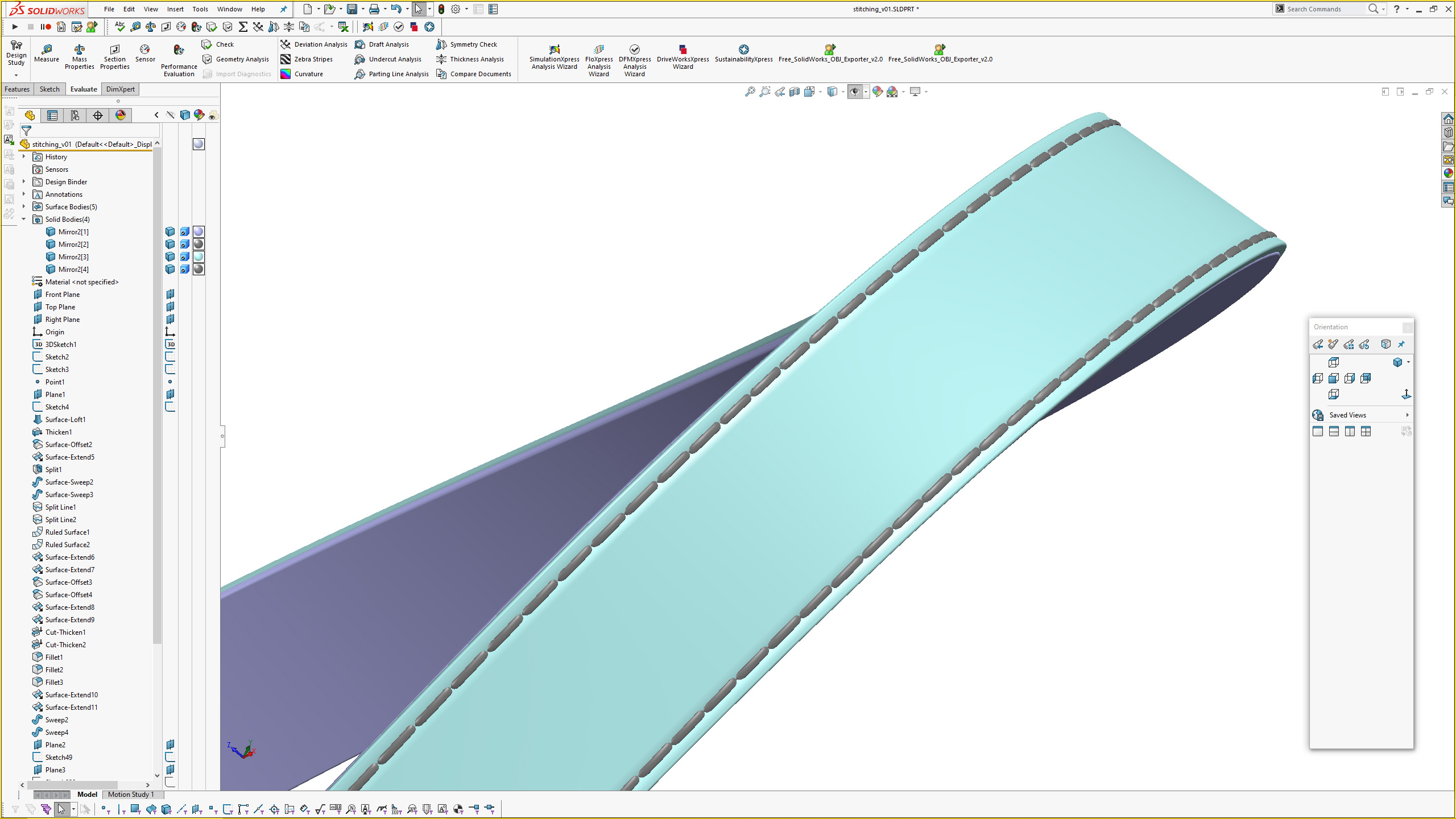
I recently had to add indicitave stitching to a project in Solidworks and this video covers the way I created the geometry. The stitching sits inside a depression, that replicates the stitching pulling the material together.

Tags: AJ Design Studio, CAD sculpting, Digital Sculpting, Modelling stitching, Solidworks, Solidworks Surfacing, Stitching

Read more articles

Previous PostSolidworks: MK4 Pillowed Surface and Corner
Next PostSolidworks: Creating a Zipper

You Might Also Like

Read more about the article Lozenge/Pill Form Exercises in Solidworks

Lozenge/Pill Form Exercises in Solidworks

May 10, 2023
Read more about the article Vitra Belleville Armchair Modelling Exercise in Solidworks. Advanced Surface Blending/Transitions

Vitra Belleville Armchair Modelling Exercise in Solidworks. Advanced Surface Blending/Transitions

January 16, 2025
Read more about the article Les Paul Carved Top Surface Modelling Exercise in Solidworks 2020

Les Paul Carved Top Surface Modelling Exercise in Solidworks 2020

August 7, 2023

Recent Posts

  • Blink Chair Seat Shell Development. By Formway, for Teknion
  • F300 Chair Reissue by GUBI. Modelled using Solidworks.
  • Air New Zealand 787 In-Flight Entertainment Assets
  • Launch Animations and Renderings of the Simrad NSS 4
  • Renderings of the Proclaim Oral Health System

Contact AJDS

Andrew Jackson.
Phone:- +64 (0)21 1807012
andrew@ajdesignstudio.co.nz

  • Behance
  • Facebook
  • YouTube
  • LinkedIn