Skip to content
Andrew Jackson
  • Blog
  • Case Studies
  • Rendering
  • Animation
  • Services
  • Clients
  • Contact
  • Toggle website search
Menu Close
  • Blog
  • Case Studies
  • Rendering
  • Animation
  • Services
  • Clients
  • Contact
  • Toggle website search

Blog

You are currently viewing Solidworks Tutorial: Modelling a lozenge shaped button

Solidworks Tutorial: Modelling a lozenge shaped button

  • Post author:Andrew
  • Post published:September 24, 2020
  • Post category:Solidworks tutorials

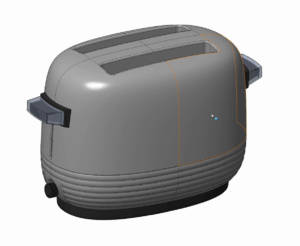
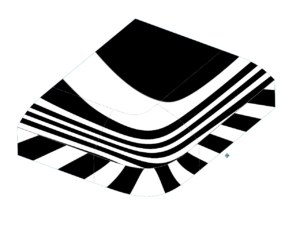
This tutorial covers ways to model a lozenge button or form while avoiding the obvious tangent breaks that are present when modelling a lozenge with only lines and arcs.


Tags: Button, Curvature, Lozenge form, Solidworks, Surfacing, Tutorial

Read more articles

Previous PostSolidworks Tutorial: Modelling the Eames Fibreglass Rocking Armchair Shell
Next PostSolidworks Tutorial: Modelling a spoon

You Might Also Like

Read more about the article Viewer Challenge: Solidworks Model of the TP Link Deco Mesh WiFi Upper Surfaces

Viewer Challenge: Solidworks Model of the TP Link Deco Mesh WiFi Upper Surfaces

February 16, 2023

Modelling a pillowed surface in Solidworks. Similar to an old Iphone or a Macbook top

October 13, 2018
Read more about the article Solidworks Tutorial: A master model methodology using ‘Insert Part”

Solidworks Tutorial: A master model methodology using ‘Insert Part”

February 3, 2020

Recent Posts

  • Truffle Form, Modelled in Solidworks
  • Blink Chair Seat Shell Development. By Formway, for Teknion
  • F300 Chair Reissue by GUBI. Modelled using Solidworks.
  • Air New Zealand 787 In-Flight Entertainment Assets
  • Launch Animations and Renderings of the Simrad NSS 4

Contact AJDS

Andrew Jackson.
Phone:- +64 (0)21 1807012
andrew@ajdesignstudio.co.nz

  • Behance
  • Facebook
  • YouTube
  • LinkedIn