Skip to content
Andrew Jackson
  • Blog
  • Case Studies
  • Rendering
  • Animation
  • Services
  • Clients
  • Contact
  • Toggle website search
Menu Close
  • Blog
  • Case Studies
  • Rendering
  • Animation
  • Services
  • Clients
  • Contact
  • Toggle website search

Blog

You are currently viewing Solidworks Tutorial: Modelling a spoon

Solidworks Tutorial: Modelling a spoon

  • Post author:Andrew
  • Post published:November 10, 2020
  • Post category:CAD Sculpting / Solidworks tutorials

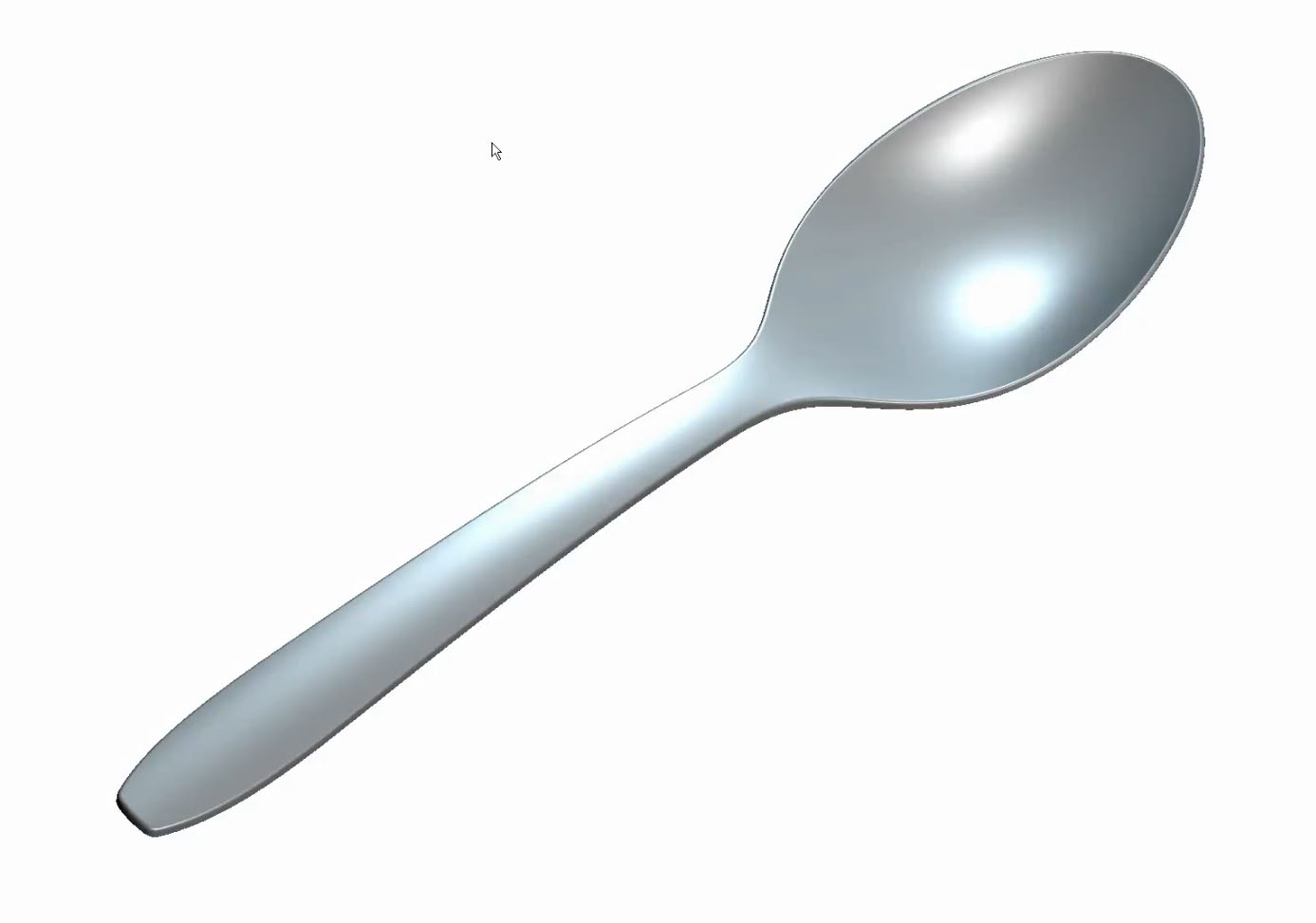
This tutorial shows one of the many ways to model a spoon. In the tutorial I cover using boundary surfaces, creating offset surfaces and also variable offset surfaces between thickness transitions.

Tags: AJ Design Studio LTD, CAD sculpting, CAD surfacing, Modelling a Spoon, Solidworks, Solidworks Surfacing, Solidworks Tutorials

Read more articles

Previous PostSolidworks Tutorial: Modelling a lozenge shaped button
Next PostSolidworks: Modelling a Proctor Model 1481 Toaster

You Might Also Like

Read more about the article Solidworks: MK4 Pillowed Surface and Corner

Solidworks: MK4 Pillowed Surface and Corner

August 26, 2022
Read more about the article Solidworks: Symmetry Issue Using Normal to Profile in Boundary Surface

Solidworks: Symmetry Issue Using Normal to Profile in Boundary Surface

September 16, 2022
Read more about the article Vitra Belleville Armchair Modelling Exercise in Solidworks. Advanced Surface Blending/Transitions

Vitra Belleville Armchair Modelling Exercise in Solidworks. Advanced Surface Blending/Transitions

January 16, 2025

Recent Posts

  • Truffle Form, Modelled in Solidworks
  • Blink Chair Seat Shell Development. By Formway, for Teknion
  • F300 Chair Reissue by GUBI. Modelled using Solidworks.
  • Air New Zealand 787 In-Flight Entertainment Assets
  • Launch Animations and Renderings of the Simrad NSS 4

Contact AJDS

Andrew Jackson.
Phone:- +64 (0)21 1807012
andrew@ajdesignstudio.co.nz

  • Behance
  • Facebook
  • YouTube
  • LinkedIn