Skip to content
Andrew Jackson
  • Blog
  • Case Studies
  • Rendering
  • Animation
  • Services
  • Clients
  • Contact
  • Toggle website search
Press Escape to close the search panel.
Menu Close
  • Blog
  • Case Studies
  • Rendering
  • Animation
  • Services
  • Clients
  • Contact
  • Toggle website search
Search this website

Blog

Modelling a nose cone in Solidworks

  • Post author:Andrew
  • Post published:October 1, 2018
  • Post category:Solidworks tutorials

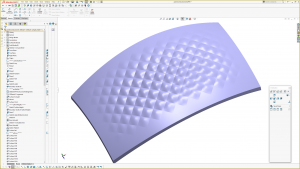
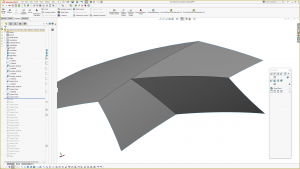
Here’s another quick Solidworks tutorial that covers modelling a nose cone type model. This type of model is often built of two or three sided surfaces which is not ideal when using boundary or loft surfaces.

The Solidworks 2017 file can be downloaded here
Tags: 2 sided surface, 3 sided surface, AJ Design Studio, CAD, n sided surface, Nose Cone, Solidworks, Solidworks Surfacing, Solidworks Tutorials

Read more articles

Previous PostSolidworks tutorials
Next PostModelling a pillowed surface in Solidworks. Similar to an old Iphone or a Macbook top

You Might Also Like

Read more about the article Viewer Challenge: Solidworks Model of the TP Link Deco Mesh WiFi Upper Surfaces

Viewer Challenge: Solidworks Model of the TP Link Deco Mesh WiFi Upper Surfaces

February 16, 2023
Read more about the article Ribbing Technique Using Combine in Solidworks

Ribbing Technique Using Combine in Solidworks

May 10, 2023

Solidworks tutorial: surface modelling a domed button.

March 13, 2019

Recent Posts

  • Surface Analysis Extension – Solidworks Add-In
  • Tria Laser for The Beauty Tech Group. Exterior CAD Model for Manufacturing, Modelled in Solidworks
  • Truffle Form, Modelled in Solidworks
  • Blink Chair Seat Shell Development. By Formway, for Teknion
  • F300 Chair Reissue by GUBI. Modelled using Solidworks.

Contact AJDS

Andrew Jackson.
Phone:- +64 (0)21 1807012
andrew@ajdesignstudio.co.nz

  • Behance
  • Facebook
  • YouTube
  • LinkedIn