Skip to content
Andrew Jackson
  • Blog
  • Case Studies
  • Rendering
  • Animation
  • Services
  • Clients
  • Contact
  • Toggle website search
Menu Close
  • Blog
  • Case Studies
  • Rendering
  • Animation
  • Services
  • Clients
  • Contact
  • Toggle website search

Blog

Modelling a pillowed surface in Solidworks. Similar to an old Iphone or a Macbook top

  • Post author:Andrew
  • Post published:October 13, 2018
  • Post category:Solidworks tutorials

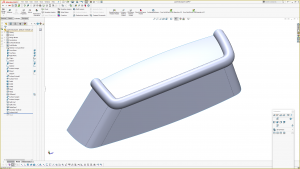
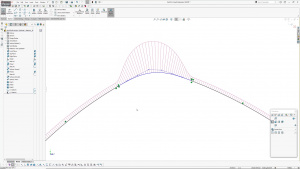
Here is my latest tutorial; modelling a pillowed surface in Solidworks. The mid section of the form is flat, with a pillowed surface running down to an edge, like a Macbook.

Tags: AJ Design Studio, Boundary blend, modelling a macbook, modelling an iphone, Pillowed surface, Solidworks, Solidworks Surfacing, Solidworks turorial

Read more articles

Previous PostModelling a nose cone in Solidworks
Next PostSolidworks tutorial: surface modelling a domed button.

You Might Also Like

Read more about the article Variable Offset Surface Tutorial in Solidworks

Variable Offset Surface Tutorial in Solidworks

March 1, 2023
Read more about the article Guitar Neck – With Volute – Surface Modelling Exercise In Solidworks

Guitar Neck – With Volute – Surface Modelling Exercise In Solidworks

August 29, 2024
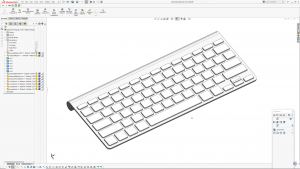
Read more about the article Solidworks: Keyboard Configurator – Control via External Text File

Solidworks: Keyboard Configurator – Control via External Text File

August 4, 2022

Recent Posts

  • Truffle Form, Modelled in Solidworks
  • Blink Chair Seat Shell Development. By Formway, for Teknion
  • F300 Chair Reissue by GUBI. Modelled using Solidworks.
  • Air New Zealand 787 In-Flight Entertainment Assets
  • Launch Animations and Renderings of the Simrad NSS 4

Contact AJDS

Andrew Jackson.
Phone:- +64 (0)21 1807012
andrew@ajdesignstudio.co.nz

  • Behance
  • Facebook
  • YouTube
  • LinkedIn